
The Banking area of the Finance app holds the account masters, imported bank statements, transfers and cheque records that connect external bank activity to the ledger. Its central discipline is simple: a bank account master identifies the external account and links it to the GL account whose posted balance is compared with the bank's statement.
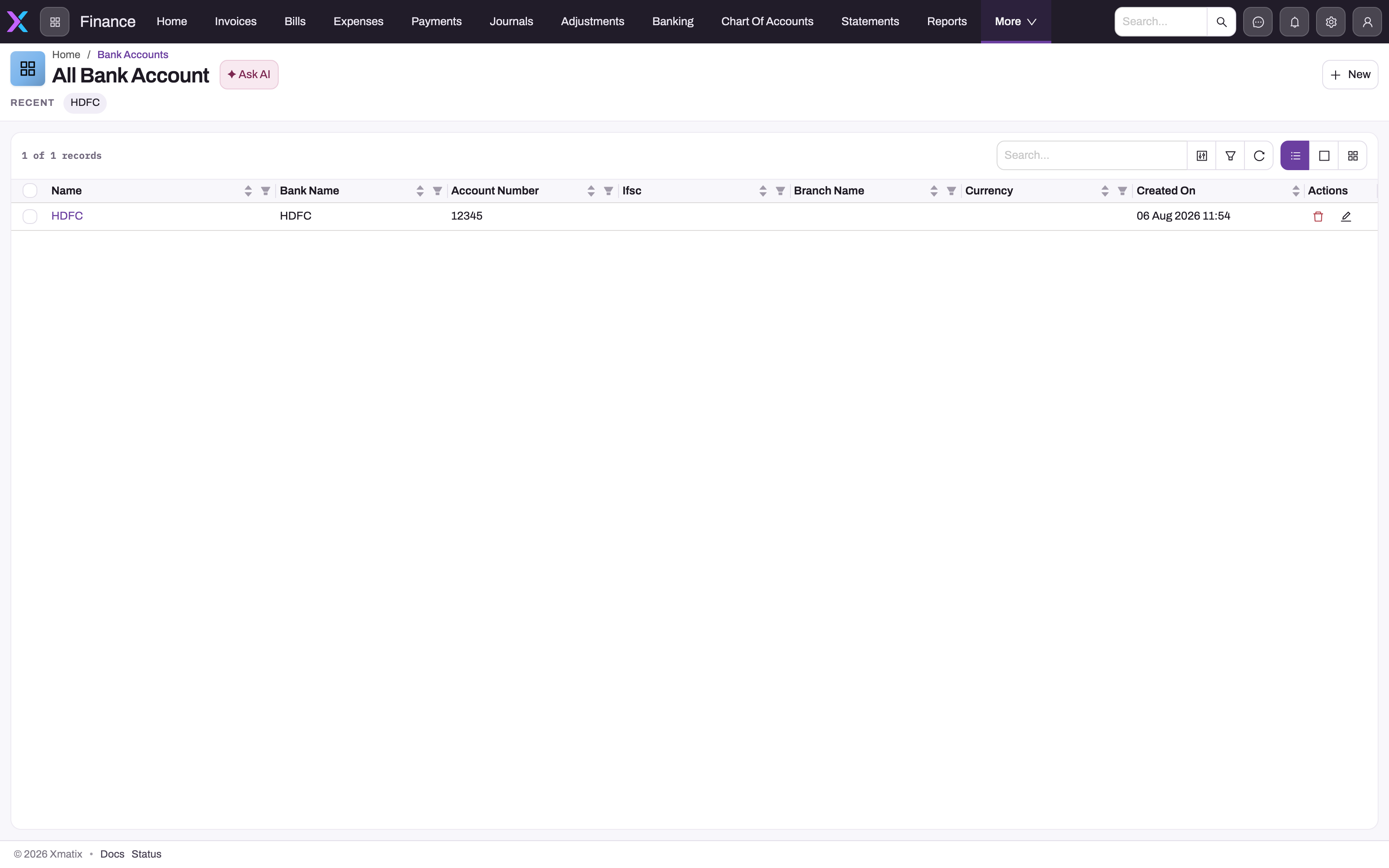
Bank accounts
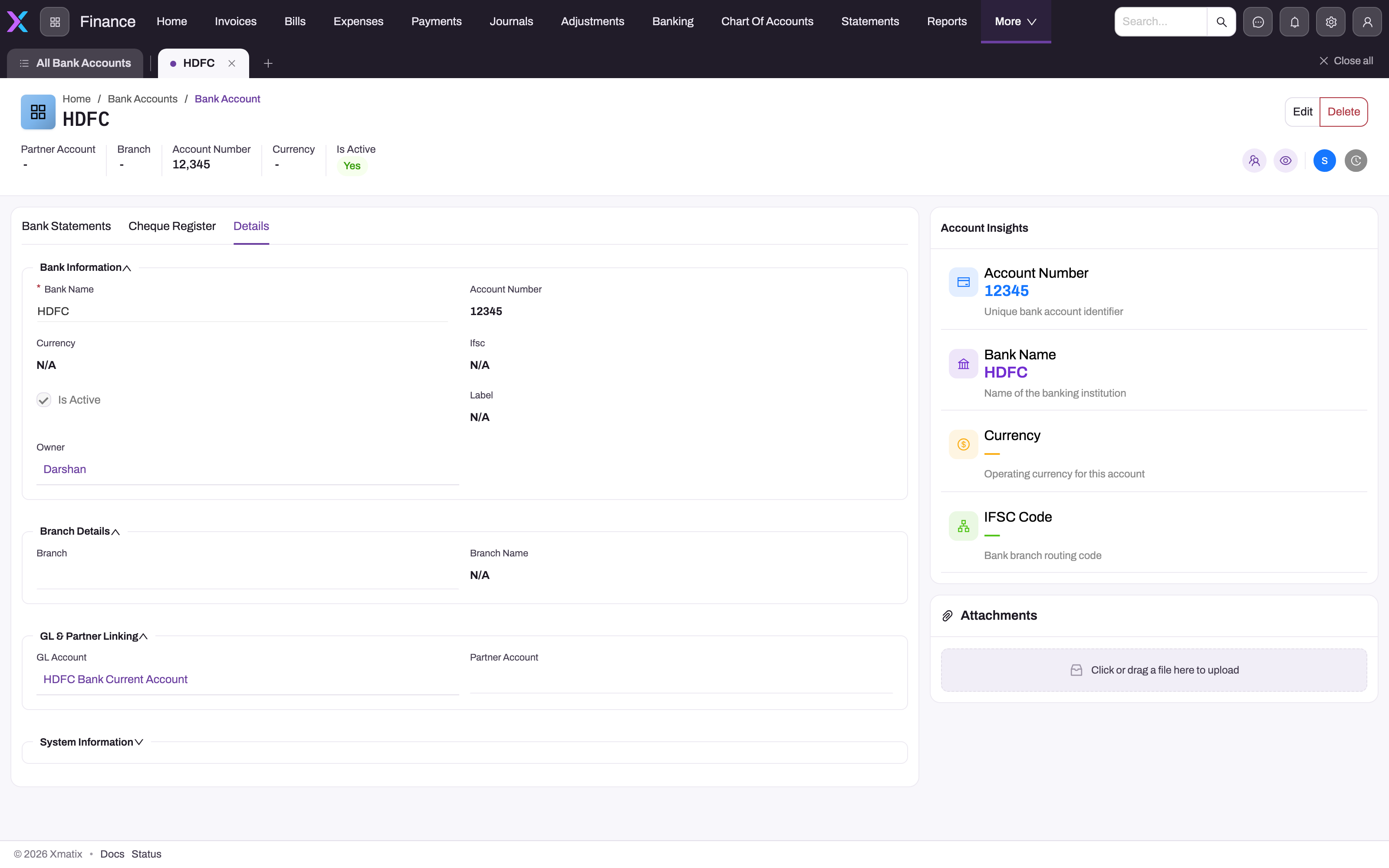
Create one bank account record per real account, in Finance Setup → Books & Posting → Bank Accounts, and link each to its own active GL account of type Bank. Payments choose the account under Deposited to or Paid from, and post to its GL account. The Bank Reconciliation workspace calculates a book balance from the posted journal lines on that GL account and a bank balance from the imported statements. The difference between the two is what reconciliation explains. For the procedure, every field, the save rules and troubleshooting, see Bank accounts.
A saved bank account opens on its Bank Statements tab, next to Cheque Register and Details:
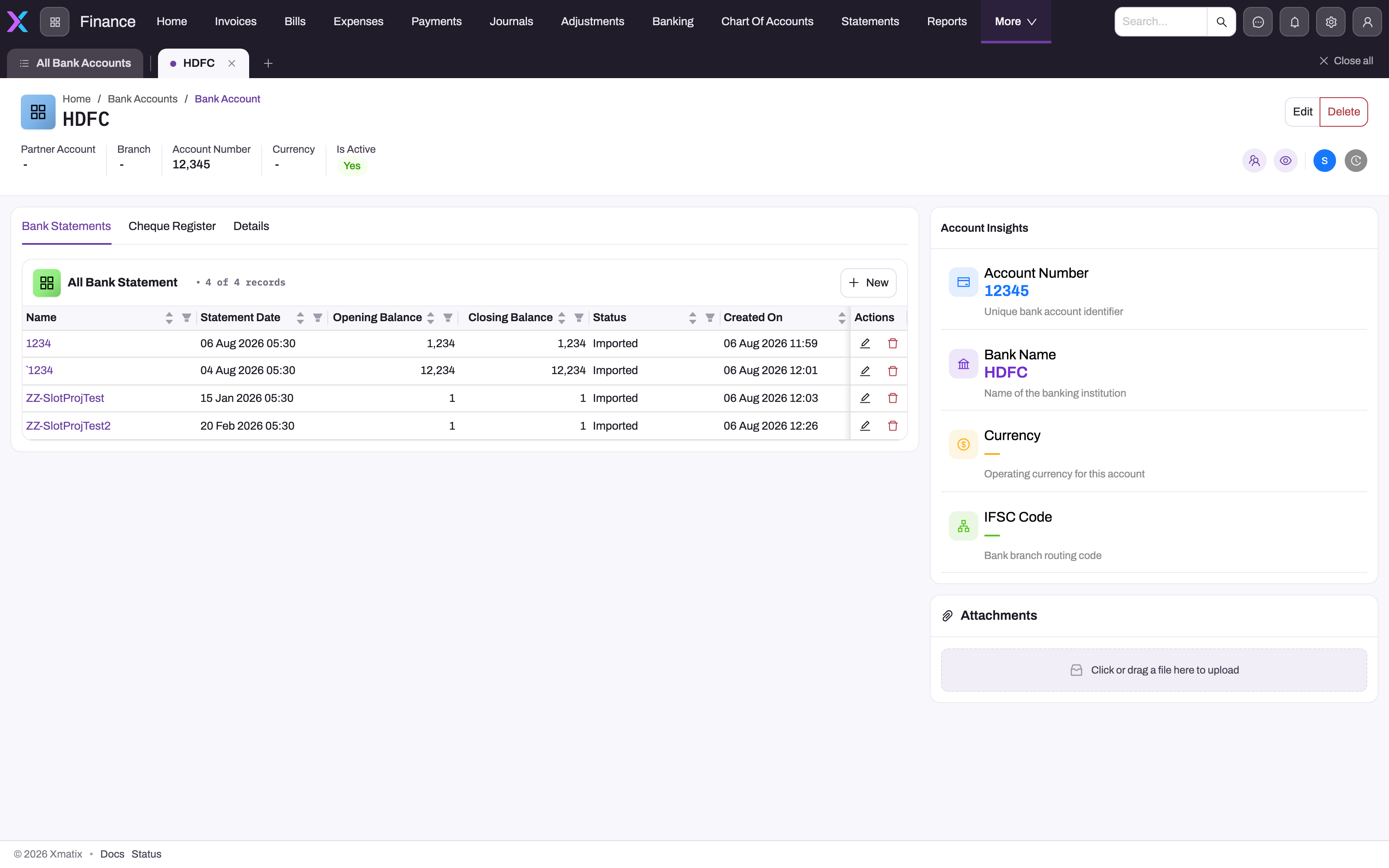
Bank statements
Import each period's bank statement with its lines—date, narration, reference, deposit or withdrawal per line. Statement lines are the bank side of reconciliation. Match them against posted ledger lines on the linked GL account; where the bank reports a genuine event the books do not yet contain, create and post the appropriate journal or payment before confirming a match. For the step-by-step procedure, the field reference and the save-time rules, see Bank statements and statement lines.
Transfers and vouchers
- Bank transfer — moves money between two bank accounts of the same company. Once its Status is Approved, Post creates one journal that debits the destination account's GL account and credits the source's. See Bank transfers.
- Expense voucher — posts a direct expense paid from bank or cash, without routing through a bill. See Record and post expense vouchers.
- Employee reimbursement — settles an approved employee claim: the payable to the employee is cleared against the bank, and the claim is marked reimbursed.
The cheque register
Cheques are tracked with two records:
- A cheque register is one cheque book: a number range for a bank account and company. A cheque payment saved with an empty cheque number takes the next number from it, and the register shows Exhausted when the range runs out.
- A cheque transaction is one cheque, created automatically when a cheque payment is saved on the web. Its Status starts at Issued and moves to Presented, Cleared, Bounced or Cancelled. Setting Cleared posts a journal from Cheques In Hand to the bank. Setting Bounced reverses the payment, so the invoice or bill it settled opens again. The other statuses post nothing.
xMatix doesn't lock a cheque after Cleared or Bounced, and changing the status again doesn't undo what was posted, so treat both as final. See Cheques and cheque registers.
Payment and deposit batches
The data model includes a Payment Batch record, with Payment Batch Line child records, for grouping a bulk run: a supplier payment run or a day's collections banked together. In the standard product these records are not in use. They are in no app or menu, and nothing creates them, adds lines, totals them or moves their status. Payments, bank reconciliation and the cheque register work without them. Record and match each payment on its own (see Payments and the Bank Reconciliation workspace).
Common problems
The bank shows one amount for a batch of payments, and the books show several
The bank posted a bulk run as a single movement, while each payment posts on its own. Payment batches don't combine them, because nothing fills or totals a batch. In the Bank Reconciliation workspace, match the single statement line against the payments it covers. Where the amounts still differ, list the difference on a reconciliation worksheet.
Common questions
Why do the bank balance and book balance differ?
Timing, usually: cheques issued but not yet presented, deposits in transit, and bank charges the books have not recorded yet. The Bank Reconciliation workspace matches statement lines to posted ledger lines. A reconciliation worksheet lets you list the outstanding items that explain what remains. A difference that will not net out points at a missing posting or an unimported statement line.
Can a company have several bank accounts?
Yes. Create a bank account record per real account and give each its own Bank-type GL account. Set Partner Account (and optionally Branch) so that each account appears under the right company in payments and reconciliation. Statements and cheque transactions link to a specific bank account. See Bank accounts.
Do I have to use the cheque register to record a cheque payment?
No. Every payment with mode Cheque saved on the web gets a cheque transaction for clearing and bouncing, with or without a register. The register adds automatic numbering for cheques you write: leave the cheque number empty on the payment and xMatix takes the next number from the company's active register. It is worth setting up wherever physical cheque books are in active use. See Cheques and cheque registers.
Can I group payments into a payment batch or deposit slip?
Not in the standard product. A Payment Batch record has a batch date, batch type, bank account, reference, item count and total amount, and each Payment Batch Line names a party and an amount. But the records are in no app, so users can't open them from a menu. Nothing adds lines to a batch, and nothing works out the Item Count or Total Amount from the lines. No action submits or posts a batch, and payments, bank files and reconciliation never read one. A batch also can't be saved from its seeded form, which has no Name field and no automatic numbering. Record each payment on its own, and match the bank's single movement against those payments during reconciliation.
Related topics
- Bank accounts
- Bank transfers
- Cheques and cheque registers
- Bank statements and statement lines
- Bank reconciliation
- Reconciliation matches
- Bank reconciliation matching rules
- Reconciliation worksheets and reconciling lines
- Recording and applying payments
- Chart of accounts, books and periods
- Banking — entity reference